
80%
cost cut with printing
These engaging guides not only saved time and money but also became a critical tool in winning new business.
Read the full story
Interactive, mobile-friendly, and trackable, built from the PDF you already have. No design skills needed.
I’d like to explore my optionsTrusted by 700+ benefits brokers









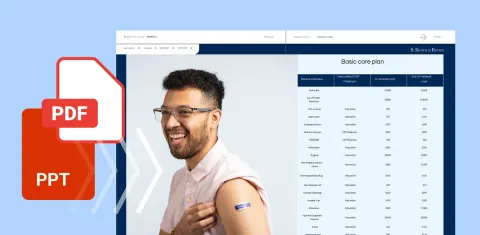
Turn the PDF or PowerPoint you already have into a guide with clickable links, video and a table of contents.
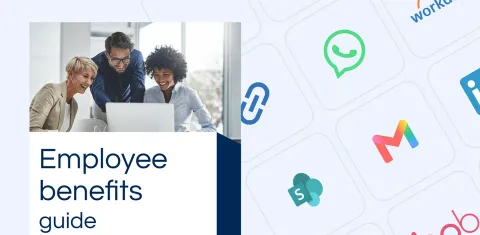
Send one link, a QR code or an embed. Edit the guide once and every place it was shared shows the update.
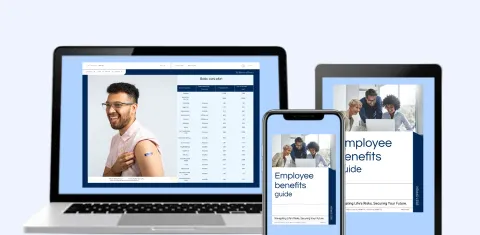
Mobile-friendly by default, so employees read it on a phone, tablet or laptop.
Benefits brokers and HR teams trust Flipsnack for its ease of use, reliability and customer satisfaction.
Rating 4.6/51.5k reviews
 4.6/5
 4.7/5
 4.6/5
 4.6/5
 4.9/5
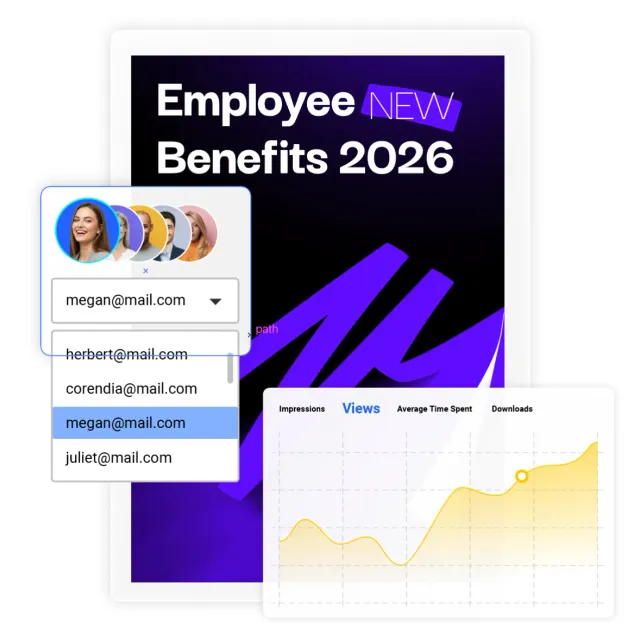
Send a single link to your benefit guide and make changes any time, even after sharing. Recipients always see the latest version, with no email threads and no re-uploads.
See which pages they spend time on, what they click and what they download, so you know which benefits matter to them and where the guide needs work. Then connect the data to the tools you already use.
Connects to:




Our team builds your first interactive benefits guide, configures tracking, and gets your workflow ready for open enrollment, so your team isn’t starting from a blank page.
Book a discovery call
80%
cost cut with printing
These engaging guides not only saved time and money but also became a critical tool in winning new business.
Read the full story
700+
Benefits professionals already use Flipsnack

“Using Flipsnack has allowed our team to take a modern and digital approach when it comes to providing our clients' employees with information on their benefits programs.
Being able to embed interactive features allows for a richer user experience and has helped in our efforts to reduce print costs and production.”
 Christina BiddleNational Director, Employee Benefits Communications
Let’s make your benefits communication the next success story.
Book a discovery callFlipsnack protects your data with industry-leading flipbook security standards, so you can publish and share interactive digital flipbooks with complete confidence.


Everything HR teams and brokers ask before they send their first interactive guide.
Yes. Upload your current PDF or PowerPoint and Flipsnack turns it into an interactive guide with clickable links, video and a table of contents.
No. Employees open the guide from a link in their browser, on any device. Add a password if you want to keep a guide private.
Yes. Edit the guide and the same link, QR code and embed show the update, so there is nothing to resend or reprint.
Yes. See views, time spent on each page and clicks, and connect your data to Google Analytics.
Flipsnack supports WCAG 2.1 Level AA, and can generate an accessibility summary with AI.
Yes. Translate a whole guide, or just a text block, into Spanish with AI translation, then review it before you share.
Talk to our team about bringing your guides, flyers and reports into one interactive place.
I’d like to explore my options