
Your Guide to Digital Presentations
What is a digital presentation?
A digital presentation is an electronic slideshow used to communicate ideas and information to an audience. Traditionally, this meant PowerPoint slides that viewers clicked through one by one. Now, platforms like Flipsnack offer more dynamic options—transforming presentations into interactive flipbooks with page-turning effects, embedded videos, and clickable elements that keep viewers engaged. An online presentation lives in a web browser, accessible from anywhere without downloads or special software. With features like analytics tracking, lead capture forms, and multimedia integration, online presentations create engaging experiences that go beyond static slides—whether you're pitching clients, training teams, or sharing research findings.
Create presentationThe history of presentations - from chalk to interactive digital
From ancient rhetoric to modern AI-powered platforms, presentations have evolved from simple visual aids to dynamic, interactive experiences. Here are the most important moments:
1940s - US military uses overhead projectors for training during World War II, marking the first widespread use of projected visual aids
Late 1950s-1960s - Overhead projectors become standard in classrooms and business conference rooms, allowing presenters to face their audience while writing on transparencies
1984 - Gene Dolgoff builds the world's first LCD video projector; Robert Gaskins begins developing presentation software concept
April 1987 - PowerPoint 1.0 launches for Macintosh, creating the first software designed specifically for making business presentations
1987 - Microsoft acquires PowerPoint for $14 million and Texas Instruments invents DLP projection technology
1989 - Epson launches the first commercial color LCD projector, making digital projection accessible
1990 - PowerPoint for Windows released, rapidly expanding its market reach as Windows adoption grows
Early 1990s - Fully integrated digital data projectors emerge, combining overhead projectors and LCD panels into portable devices
Late 1990s - DLP projectors become commercially viable, offering improved image quality for business and home use
2000s - Digital projectors begin replacing overhead projectors as prices drop and technology improves
2007 - Google Slides launches as part of Google Docs suite, introducing free, cloud-based collaborative presentations
2009 - Prezi founded in Budapest, introducing non-linear, zoom-based presentations as an alternative to traditional slides
2010s - Online presentation platforms proliferate, adding features like real-time collaboration, cloud storage, and mobile access
2020s - AI-powered presentation tools emerge; also, platforms like Flipsnack offer interactive flipbook experiences, embedded multimedia, and analytics tracking for modern digital presentations
Benefits of using online presentations
Digital presentations offer more than just slides—they create engaging experiences that traditional formats can't match. From real-time collaboration to interactive elements, here's what makes online presentations a smarter choice for communication.
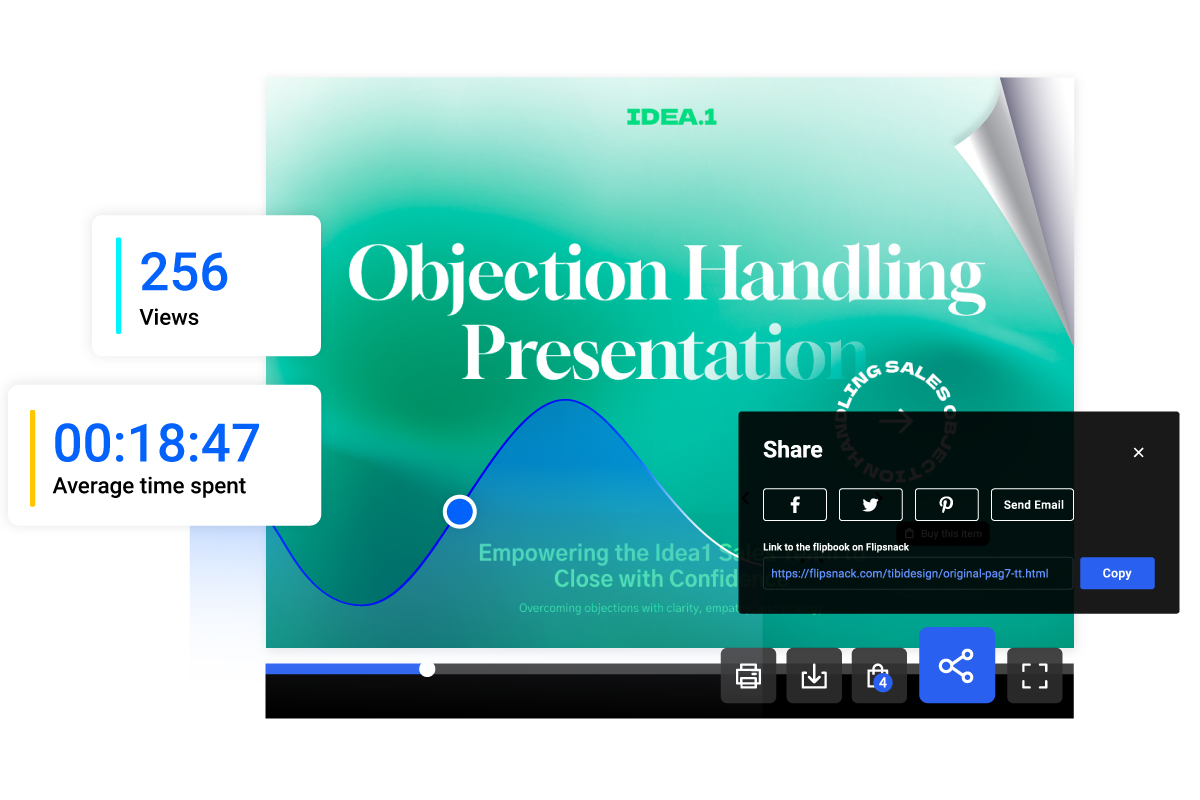
Interactivity
Add interactive elements like clickable links, embedded videos, photo galleries, and navigation buttons to keep your audience engaged throughout your presentation.
Sharing
Send your online presentations via direct link to individuals or teams, embed them on your website, share on social media, or distribute them through email.
Real-time updates
Update your presentation content, fix typos, or refresh data with a simple click—no need to resend links or redistribute files. Your audience always sees the latest version.
Trackable insights
Built-in analytics let you see how people engage with your presentation. Track views, time spent on each section, and click-through rates to understand what resonates.
Privacy
Control who sees your presentation with password protection, unlisted publishing options, or private email distribution—perfect for confidential pitches or internal team presentations.
Branding
Create branded presentations every time. Upload your brand assets to Flipsnack and save them as templates, so every presentation reflects your professional identity.
How to make an interactive presentation
Creating an online presentation with Flipsnack is straightforward—no design experience needed. Follow these simple steps to transform your content into an interactive, trackable presentation.
Make a digital presentation1. Upload your PowerPoint or choose a template
Start by uploading your existing PowerPoint file to Flipsnack, or browse our library of professionally designed presentation templates to build from scratch.
2. Customize your design
Edit your presentation using the drag-and-drop Design Studio. Add your brand colors, fonts, images, and text to create a professional look that matches your identity.
3. Add interactive elements
Bring your presentation to life with clickable links, embedded videos, navigation buttons, contact forms, and other interactive features that keep your audience engaged.
4. Publish and share
Publish your digital presentation and share it instantly via link, email, social media, or QR code. Embed it on your website or download it for offline access.
5. Track performance
Monitor how viewers engage with your presentation using built-in analytics. See views, time spent, click-through rates, and which sections capture the most attention.
Business presentation templates
Impress clients and stakeholders with sleek, professional layouts designed for pitches, reports, and proposals. Fully customize them to fit your brand identity and add interactive charts or videos to keep your audience engaged. With Flipsnack, you can even include shoppable links or lead forms to turn your deck into a conversion tool.
Create business presentationsMarketing presentation templates
Make your brand stand out with vibrant, high-impact designs perfect for campaign launches, social media strategies, and brand guidelines. These templates are built for storytelling—use interactive layers and shoppable elements to showcase products or services, making it easy for your audience to go from viewing to buying.
Create marketing presentationsLearn more about digital presentations
Blog articles
- Best PowerPoint to Flipbook Converters in 2025: Turn Static Slides into Interactive Presentations
- Flipsnack: the best Issuu alternative for converting PPT presentations
- PowerPoint to Flipbook: The Professional’s Blueprint for Interactive Presentations
- Guide on How to Create Flipbook Presentations Using Flipsnack
- How to Make a Business Presentation: The Complete Guide